

Logistics Planning Platform
Featured Product Design
Overview
Redesigned a complex system for logistics planners, transforming it into a highly efficient, load management and planning tool. Planning recommendations were automatically generated per driver and load to identify optimal assignments. The new design empowered users to quickly view, filter, prioritize recommended assignments, and batch execute across multiple projects, reducing planning time by up to 66%.
My Role
Deliverables
Project Goals
- Create a streamlined planning experience that is easy for users to understand & navigate.
- Improve visibility to essential data points.
- Equip users with filtering, advanced sorting options, and customizable views.
- Decrease the time and steps to execute a plan.
Research

User interviews
On-site visits and video calls, observing and documenting user behavior with the existing UI.

Defining problems and pain points
Organization of information, defining pain points, core usability problems, and project goals.

Ideation
Brainstorming, exploring possibilities, designing new features, and iterating through potential solutions.

Rapid prototyping and testing
Interactive prototypes with Figma, sharing with users for testing and feedback, enabling faster iteration and development.
Outcome


Features
Improved layout and navigation
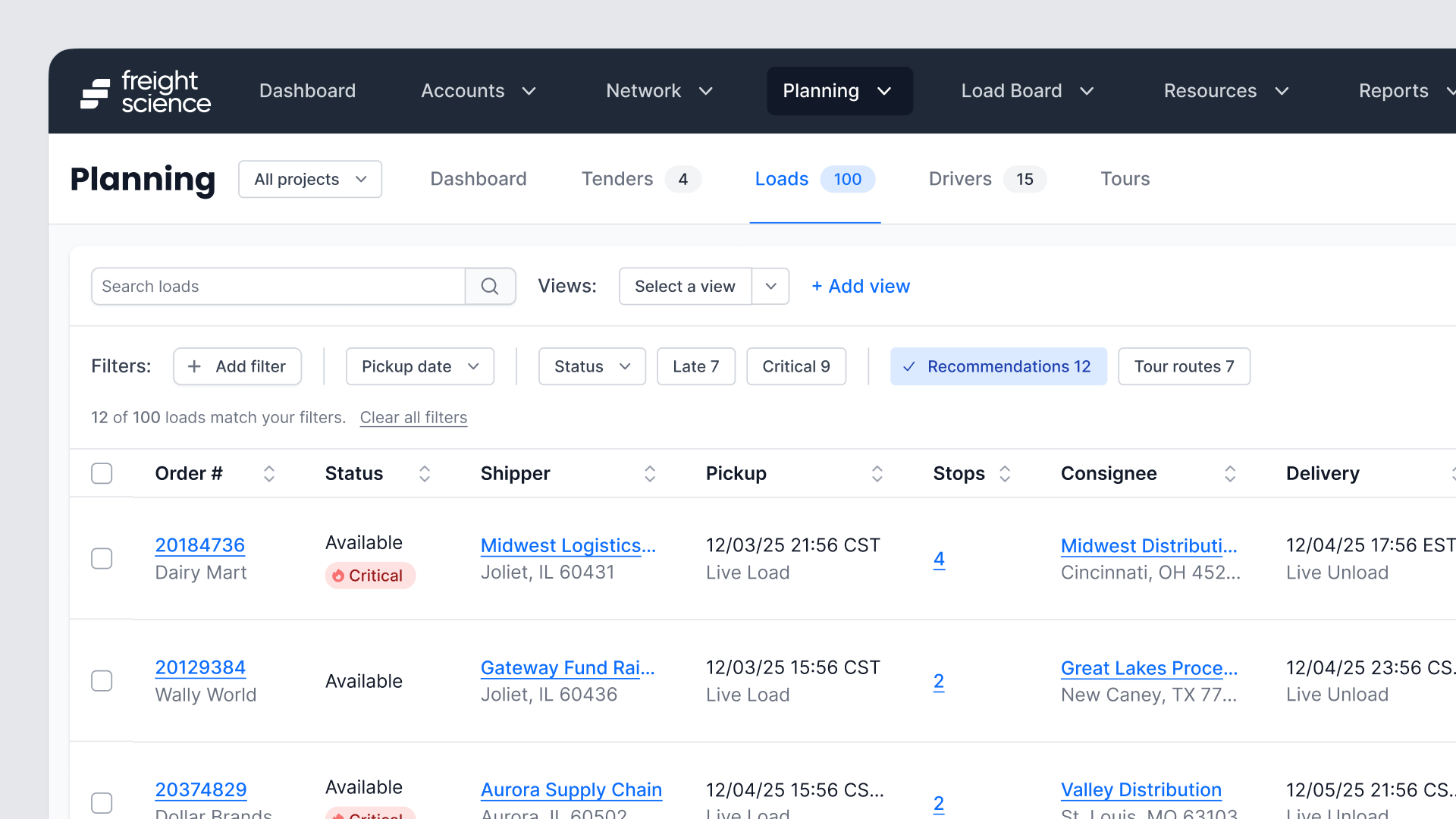
Metrics were migrated to a dedicated “Dashboard” tab, clearing visual space for active work. Previously fragmented data lists—such as Unplanned, Recommended, and At-Risk loads—were consolidated into a unified table view. This allowed users to search, filter, and execute tasks across all load types within a single context, eliminating the need to toggle between multiple pages.
Project selector
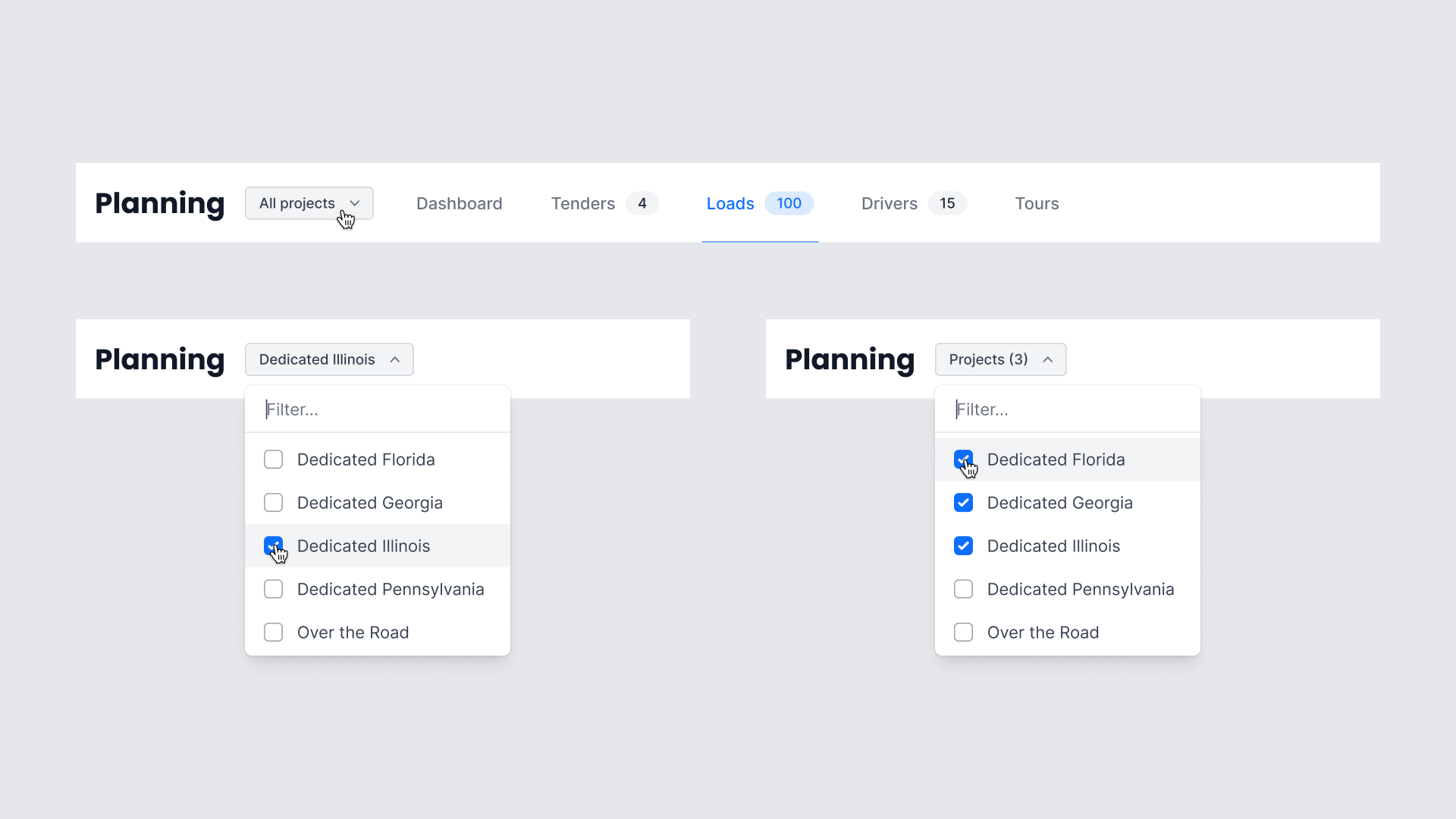
The implementation of a multi-select dropdown facilitated immediate cross-project visibility. This allowed planners to combine data and resources from multiple projects into one unified table, directly reducing operational friction and eliminating the need for constant context switching.
New table layout
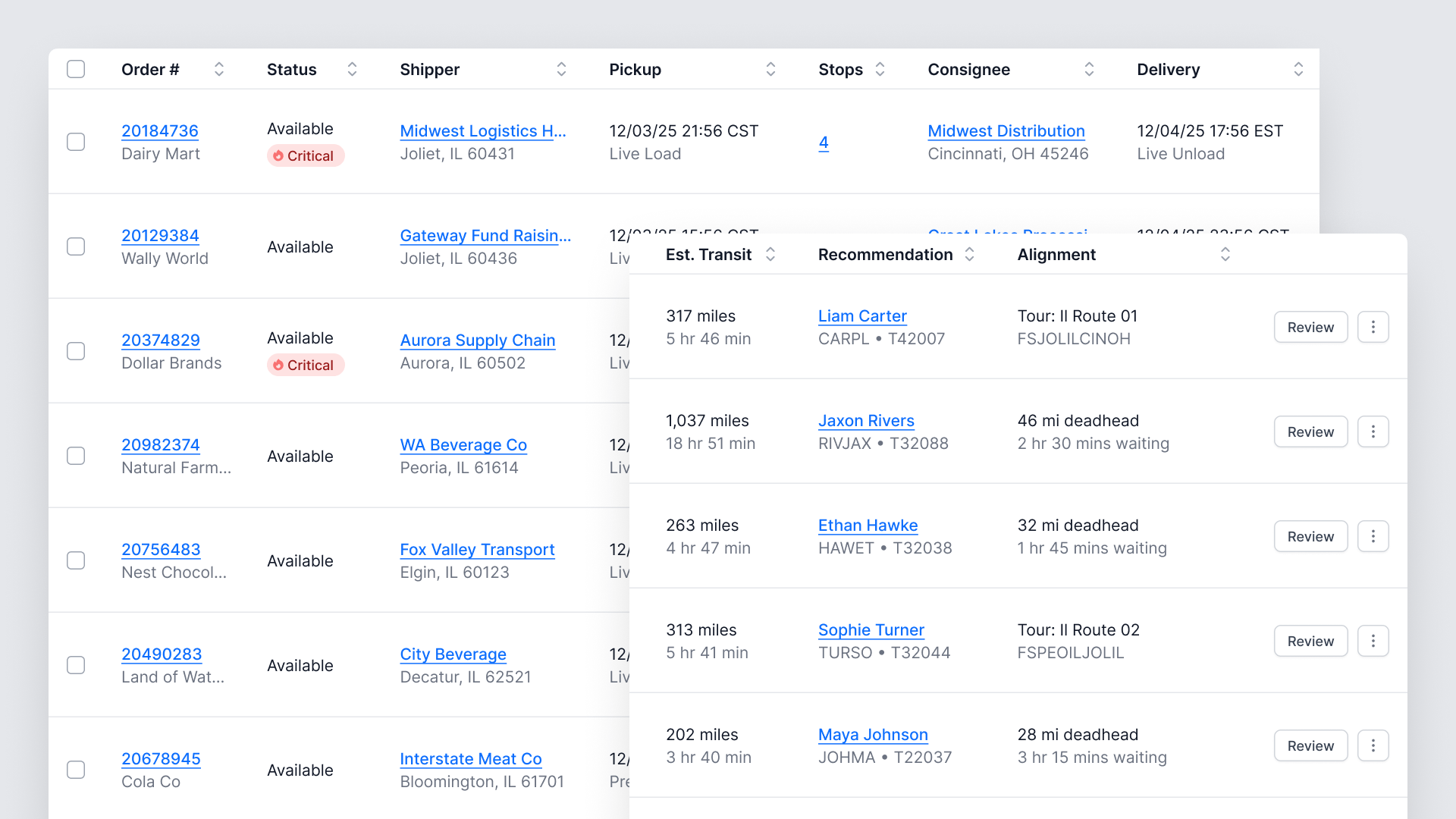
The redesign replaced the card-based view with a consolidated, scalable table structure. This maximized screen real estate, enabling planners to view more entries while surfacing all essential data. The new design eliminated friction points, such as reliance on inefficient hover states and ambiguous icons. Top driver recommendations were integrated directly into each row, accelerating the assignment process.

Accelerated planning efficiency
Integrated checkboxes and batch execution functionality empowered planners to select multiple recommended loads and assign them simultaneously, immediately reducing the number of clicks. User reports indicated a time savings of up to 66% compared to traditional planning workflows.

Filtering
A flexible filtering system provided users with immediate access to common selections, such as pickup date, status, and recommendations, via dedicated Quick Filters. The horizontal structure minimizes screen consumption while supporting complex filtering, allowing users to add advanced filters and quickly narrow down content without sacrificing valuable workspace.
Advanced sorting
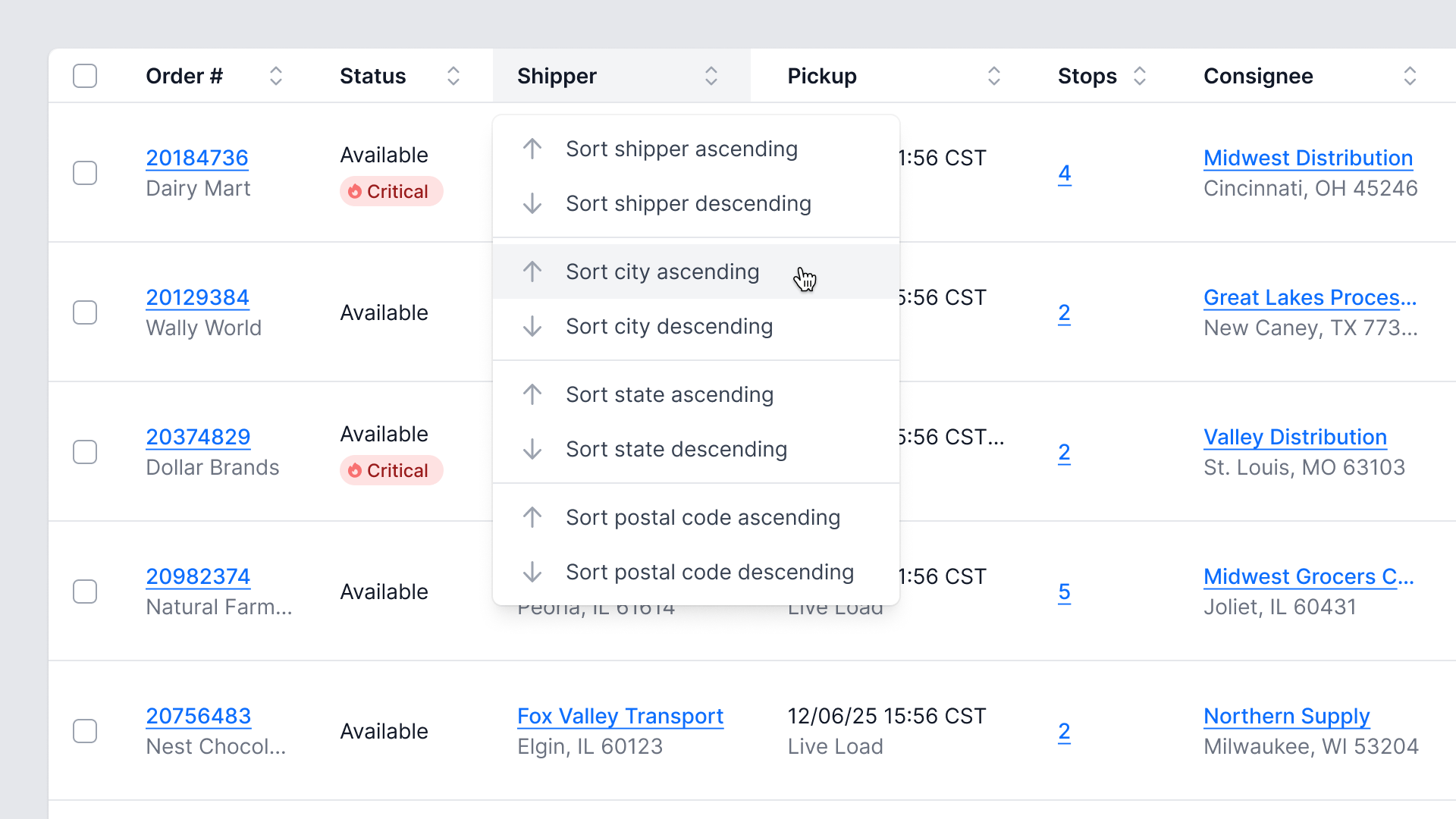
Dynamic sorting capabilities replaced the reliance on static, default list ordering. Advanced sorting options were integrated directly within column headers, providing users with essential control.
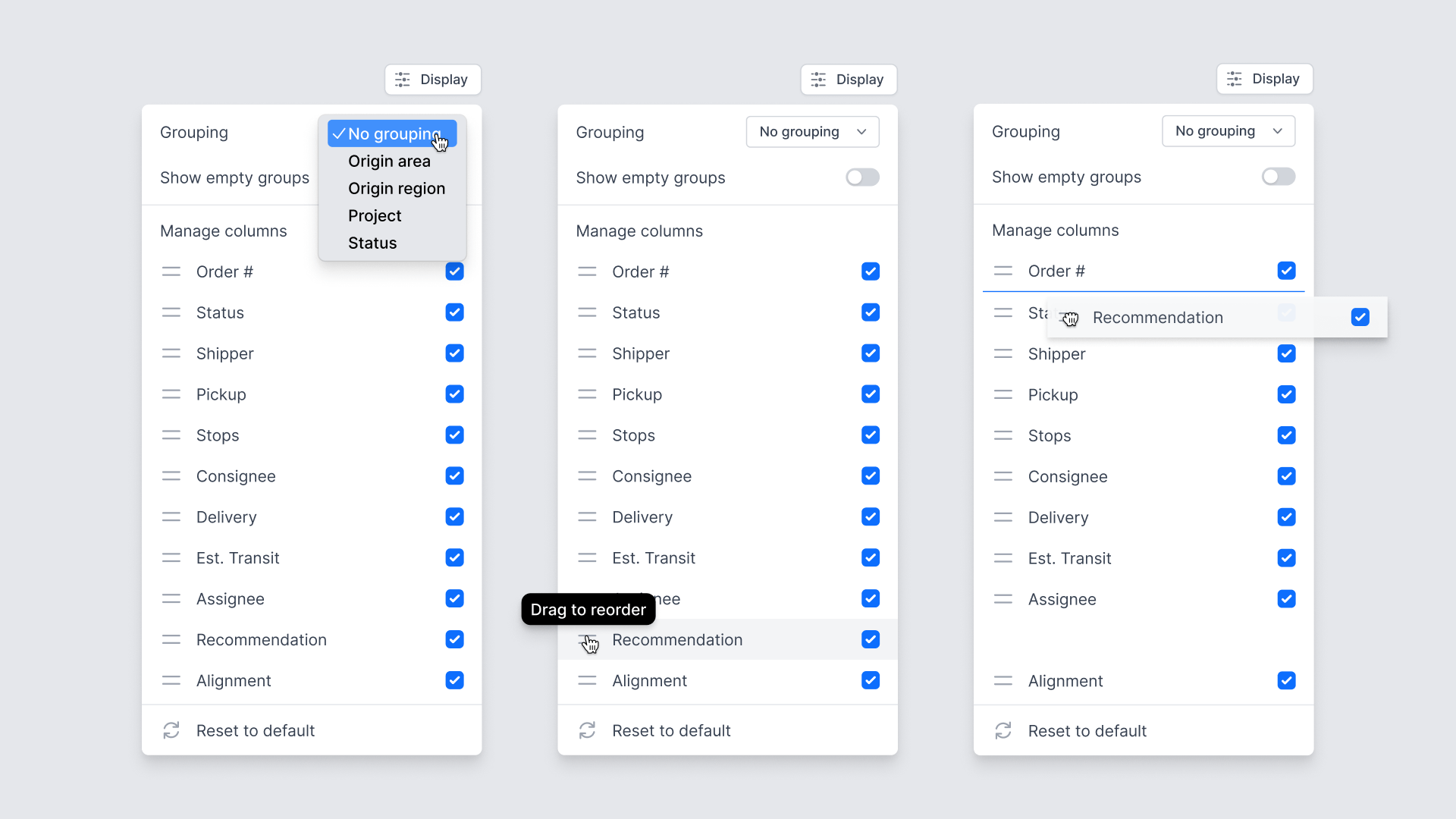
Table display options
Customizable table display options empower users to manage column visibility, dynamically reorder columns, and group data based on workflow needs. This functionality allows planners to create personalized views and prioritize essential operational metrics.
Add custom views
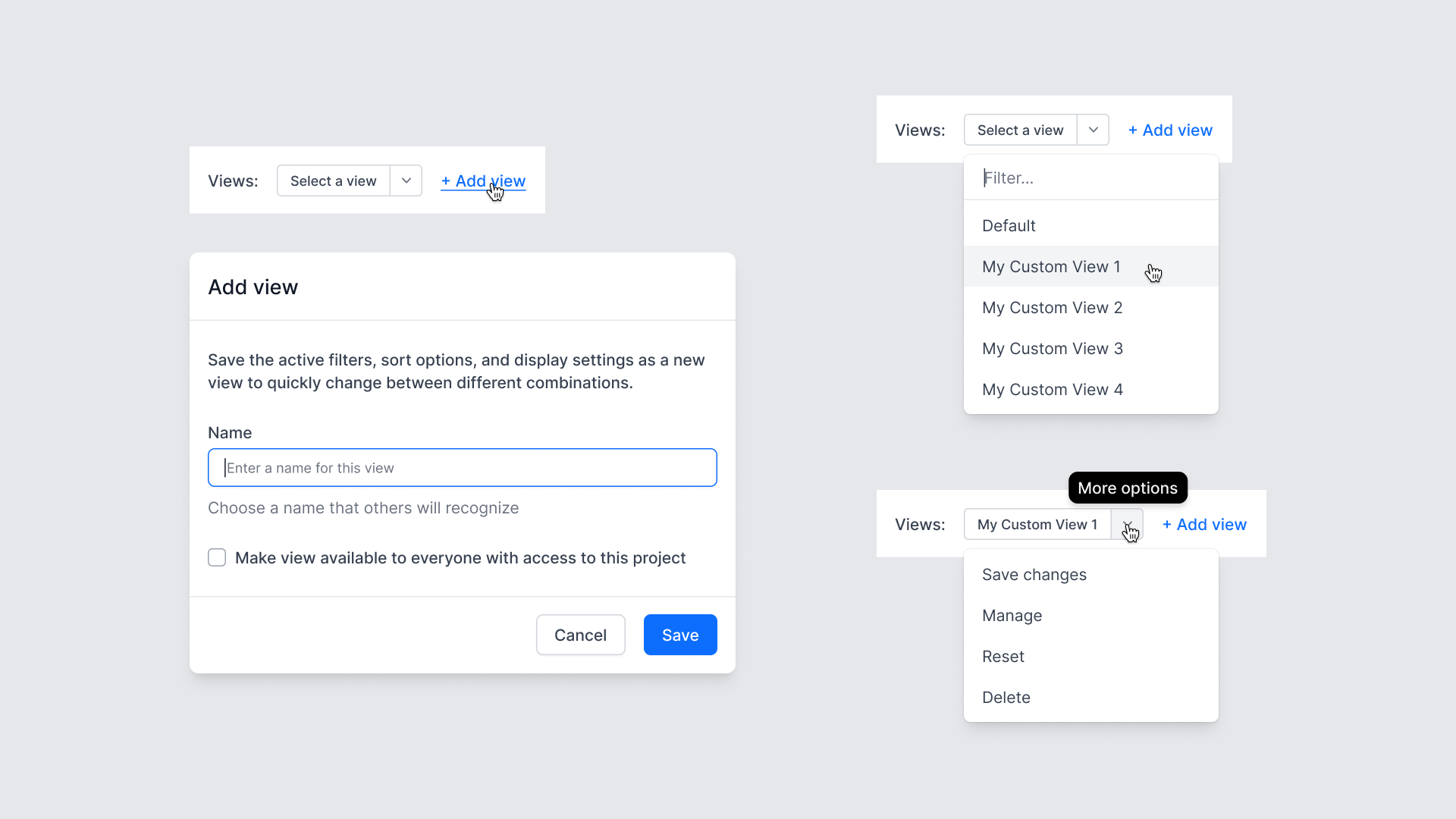
Custom view functionality enabled users to save their entire table state—including active filters, sort options, and column display settings—as a reusable template. This ensured workflow persistence, allowing users to quickly toggle between different configurations.

Quick preview of order details
A contextual quick preview of order details, stops, and recommendations that opened directly from the loads table, eliminating the need to navigate away from the primary planning view. This provided immediate access to editing stop details and appointment times, enabling planners to make rapid operational adjustments without disrupting their workflow.

More menu
A contextual overflow menu was implemented within each row to maintain a streamlined table view. This mechanism provided access to secondary actions—such as manual driver assignment or load splitting—eliminating the need for users to navigate to a dedicated detail page for execution. This design ensures the primary table remains focused on monitoring and review.
Related Projects
